
Self Storage Website Templates: Four Booking-Ready Layouts
By The Unit Manager Pro Team · 1 May 2026 · 3 min read · Updated 24 October 2026
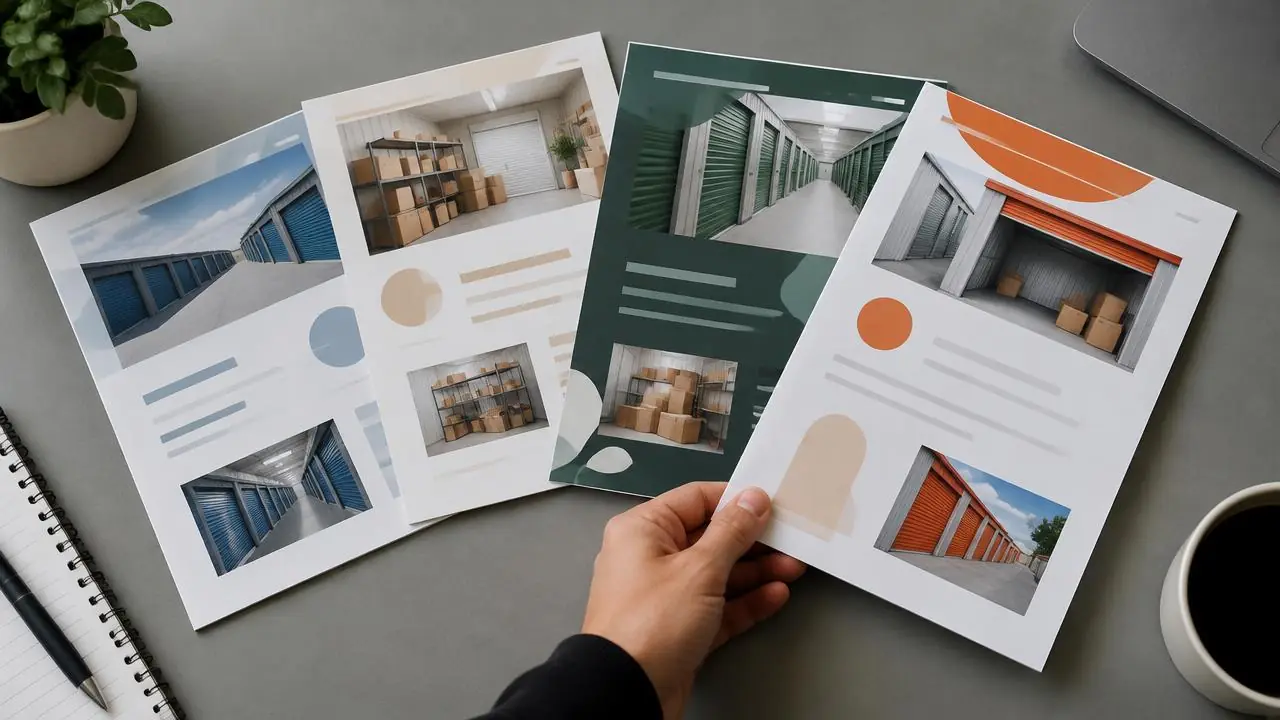
Unit Manager Pro includes four self storage website templates: Modern, Classic, Minimal and Bold. Each one is built around live unit availability and online booking, so you choose a look and your prices and booking come with it. Compare the styles below, then preview your own content before you publish.
14-day free trial · No credit card required · Cancel anytime
Modern
Clean lines with bold hero sections
Classic
Traditional layout, trusted feel
Minimal
Whitespace-driven, elegant
Bold
High contrast, attention-grabbing
Choose from the actual template selector
The previews below use the same template names, descriptions and miniature layout styles as the in-app selector. They are schematic style previews, not screenshots of a finished customer site. The final appearance depends on your content, imagery and settings.
What every template includes
Unlike a standalone theme, each template is connected to your account. Choose one and the booking flow, live availability and prices are already in place, so you spend your time on photos and wording rather than plumbing.
- Live availability and "from" prices taken from your unit list
- Online booking with an e-signed agreement and payment setup
- A size guide, gallery, map and trust badges
- Contact, quote and callback forms that land in your dashboard
- Page titles, structured data and a sitemap generated for you
- Your own domain, branded email and a branded tenant portal
Keep the rental information consistent
Whichever style you choose, check location, unit sizes, prices, availability, terms and contact information. Use real photos and descriptive headings. A template change cannot compensate for missing or incorrect rental details.
Preview your content
Open Website in your dashboard, select a template and review the site at mobile and desktop widths. Check long titles, unit photos, contact details and the agreement/payment steps. Do not assume a miniature preview demonstrates every live section.
Understand the resource
These are templates within UMP’s website builder, not downloadable WordPress themes. Explore the website builder and the launch checklist to prepare your own site. No external theme or conversion uplift is implied.
Launch a storage website that takes bookings
The website builder and online booking are included in every plan. Start a 14-day free trial with no credit card and preview your site before you go live.
Frequently asked questions
Which self storage website template should I choose?
Choose the layout that presents your units most clearly: all four templates carry the same live prices, availability and booking flow. Preview each with your own logo, colours and photos in the dashboard before publishing.
Can I change template later?
Yes. You can switch template in the Website section of your dashboard and preview the result at mobile and desktop widths before publishing the change.
Are these templates free?
The website builder and its templates are included in every Unit Manager Pro plan. You can build and preview a site during the 14-day free trial; no credit card is required.
Do the templates work on phones?
Yes. Check your own content on a small phone before publishing: long titles, unit photos and the booking steps are the parts that most often need adjusting.
Related features
Self Storage Website Booking System
A built-in facility website with online booking, custom domain and AI-generated copy.
Read the feature overview
Self Storage Management Software UK
Self-storage software designed for UK operators — Stripe, GBP invoicing, UK hosting, GDPR-ready.
Read the feature overview
Related reads
Self Storage SEO: A Practical Facility Website Checklist
Help local customers understand what you rent, where it is and how to book. Useful, accurate pages provide a better foundation than repeated town names or ranking promises.
Read article
Self Storage Website Design: What to Include and How to Launch
A self storage website should help a visitor choose a suitable unit, understand the terms and complete the next step on a phone. Start with those tasks before choosing colours or animations.
Read article
Google Business Profile for Storage Facilities: Owner Checklist
An accurate Business Profile helps customers find and assess your facility. Maintain it as part of the operating process, not as a one-off ranking trick.
Read article
Get the self-storage operator newsletter
Practical tips on rent collection, occupancy and growth. One email a fortnight, no spam.