
Connecting Storage Units, Tenants, Leases and Payments
By The Unit Manager Pro Team · 14 April 2026 · 3 min read · Updated 24 October 2026

A connected record makes it easier to answer who occupies a unit, what rent is agreed and what has been paid. Begin by understanding how the records relate.
14-day free trial · No credit card required · Cancel anytime
Follow the relationships
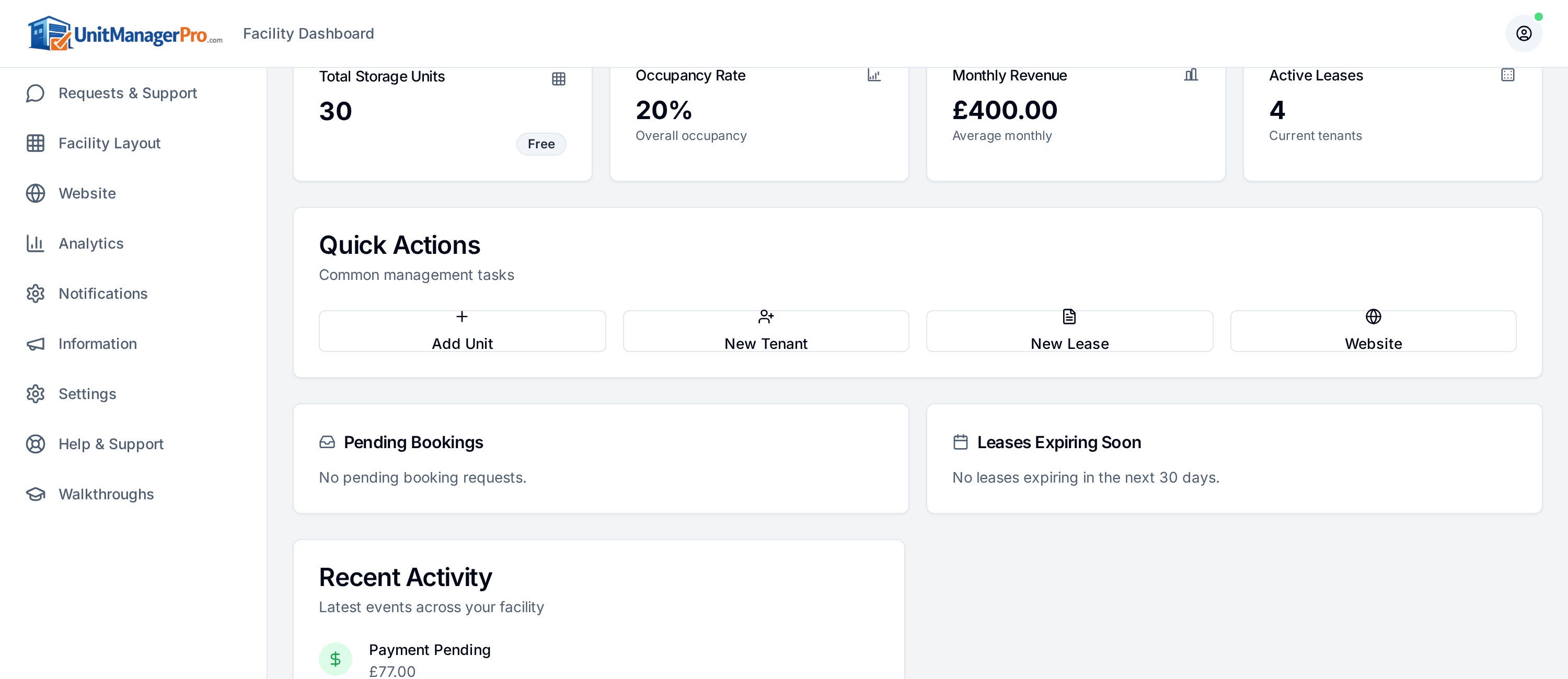
A unit describes the space. A tenant record describes the customer. A lease connects them with dates and rental terms. Payment records describe charges and collections. Check those links when a balance or occupancy figure looks wrong.
Work one example
For a sample unit at £100 per month, inspect the agreed rent and next billing date, then review an invoice and payment result. A £100 contracted rent does not mean £100 cash has settled. Keep processing and overdue amounts distinct.
Handle changes explicitly
When a customer changes unit, rent or end date, review the appropriate lease and future billing. Avoid editing unrelated records to make a dashboard total look correct. Keep evidence for manual payments and balance adjustments.
Keep accounting boundaries clear
Confirm the exports your accounting process needs. An operational record or CSV is not automatically a native accounting integration. Review supported imports and migration planning when bringing in existing tenants and retain original records for reconciliation.
One system for units, tenants, leases and rent
In Unit Manager Pro a unit links to a lease, the lease links to a tenant and the rent schedule, and each payment is recorded against that lease. A new booking from your website creates the tenant and lease for you, and the tenant sees the same record in their portal. That connected record is what removes spreadsheet double-entry.
Plan the move to one system
Book a 20-minute demo with your site and unit counts, or start a 14-day free trial with no credit card.
Frequently asked questions
How do I manage units, tenants and payments in one system?
Connect each unit to a lease and tenant, then bill and record payments against that lease. Unit Manager Pro does this in one workflow with a website and a tenant portal.
Related features
Self Storage Billing Software
Automated invoicing, recurring payments and intelligent retries — so you stop chasing rent and start getting paid on time.
Read the feature overview
Self Storage Reporting Dashboard
Real-time dashboards for occupancy, revenue, arrears and churn — across one or many sites.
Read the feature overview
Self Storage Customer Management Software
From enquiry to move-out — every tenant interaction in one timeline.
Read the feature overview
Related reads
Self Storage Software UK: Compare Eight Options for 2026
Compare self storage platforms against the same rental, billing and migration tasks. A feature label or headline subscription is not enough to choose a system.
Read article
How to Automate a Self Storage Business in Stages
Automate repeatable administration in stages, keeping an owner review process for exceptions. Start with accurate records and the task that creates the most repeated work.
Read article
Get the self-storage operator newsletter
Practical tips on rent collection, occupancy and growth. One email a fortnight, no spam.